
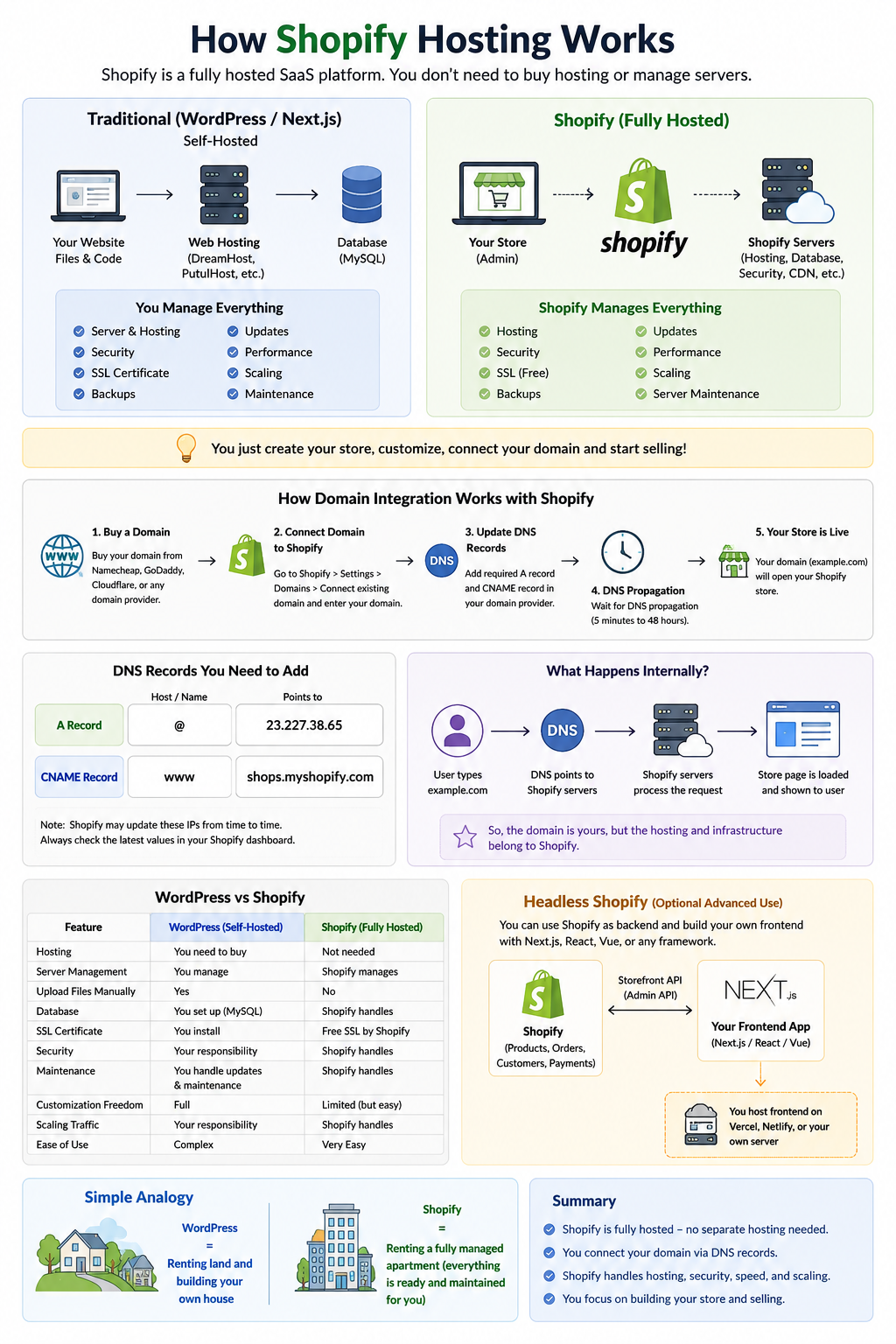
Shopify is a fully hosted SaaS (Software as a Service) platform.
That means:
- Shopify already has their own servers
- Your store runs on Shopify infrastructure
- You do NOT buy separate hosting
- You do NOT upload PHP files manually
- Shopify manages:
- Hosting
- Security
- SSL
- CDN
- Scaling
- Database
- Server maintenance
You just:
- Create a Shopify store
- Customize theme/apps
- Connect your domain
- Start selling
Example
When you create a Shopify store, Shopify gives you a default URL like:
myshop.myshopify.comThat store is already hosted on Shopify servers.
How Domain Integration Works
Suppose you buy domain:
example.comfrom:
- Namecheap
- GoDaddy
- Cloudflare
- etc.
Then you connect it to Shopify.
DNS Setup
Usually Shopify asks you to add:
A Record
@
23.227.38.65
CNAME
www → shops.myshopify.comAfter DNS propagation:
example.comwill open your Shopify store.
What Happens Internally
When someone visits:
example.comDNS points traffic to Shopify servers.
Then Shopify:
- loads your theme
- fetches products/orders
- renders pages
- serves everything from their infrastructure
So the domain is yours,
but the website hosting belongs to Shopify.
Difference Between WordPress and Shopify
| Feature | WordPress | Shopify |
|---|---|---|
| Hosting needed | Yes | No |
| Server management | You manage | Shopify manages |
| Upload files manually | Yes | No |
| Full backend access | Yes | Limited |
| Easier maintenance | No | Yes |
| More customization freedom | Yes | Less |
| Scaling traffic | Your responsibility | Shopify handles |
Can You Use Shopify With Next.js?
Yes.
This is called:
- Headless Shopify
- Shopify Hydrogen
- Shopify Storefront API
In this setup:
- Shopify manages products/orders/payments
- Your frontend can be:
- Next.js
- React
- Vue
- custom app
Then you host frontend separately on:
while Shopify works as backend ecommerce engine.
Leave a Reply